 English





 (9 votes, average: 3.89 out of 5)
 Loading...
The advantages of SSD compared to rotating hard drives are obvious: not only are they robust and have a low mechanical wear, they convince with their speed as well. SSD provide unbeatable pace when it comes to reading, writing or accessing data processes and are therefore mainly the first choice these days.
We have taken a look at various types of SSD that are produced by Samsung.
What are the differences between the evaluated types of SSD? Which are the significant criteria and – even more important – which Samsung SSD server is the most suitable one for your personal requirements and purposes?
For better comparison, you’ll find two HDD listed, one each for the interfaces SATA and SAS. This emphasizes the differences between the storage types SSD and HDD, besides the comparable criteria among SSD.

| Interface | SAS | PCIe | SATA | |||||||||||||||
| Design | 2,5″ | 3,5″ | E1.S | M.2 | 2,5″ U.2 | PCIe HHHL | 2,5″ | 3,5″ | ||||||||||
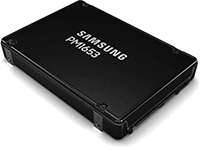 | 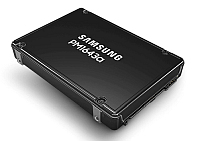 |  | 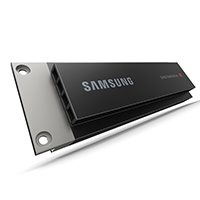 | 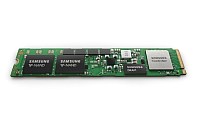 | 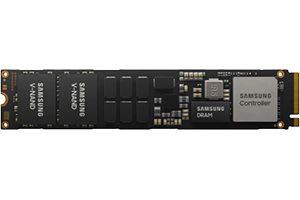 |  |  | 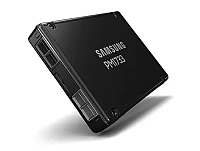 |  | 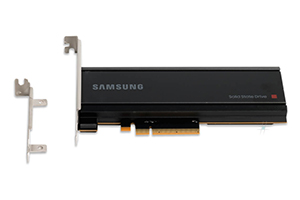 | 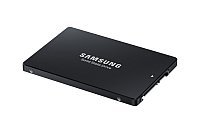 | 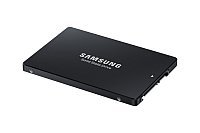 | 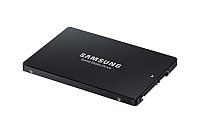 | 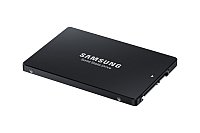 |  | |||
| Model | PM1653 | PM1643a PM1643 | Seagate Exos X12 | PM9A3 E1.S | PM983 M.2 | PM9A3 M.2 | PM983 U.2 | PM9A3 U.2 | PM1733 | PM1743 | PM1735 | PM893aPM893 | PM897 | PM883 | SM883 | Seagate Exos 7E2 | ||
| Standard | SAS 4 / 24G | SAS 3 / 12G | PCIe Gen4 | PCIe Gen3 | PCIe Gen4 | PCIe Gen3 | PCIe Gen4 | PCIe Gen5 | PCIe Gen4 | SATA 6.0 Gbps | ||||||||
| Flash memory | TLC 3D V-NAND | HDD | TLC 3D V-NAND | TLC 3D V-NAND | MLC 3D V-NAND | HDD | ||||||||||||
| Max. sequential write rate* (MB/s) | 3.700 | 2.000 | 260 | 4.000 | 1.400 | 2.000 | 1.900 | 4.000 | 3.500 | 7.100 | 3.800 | 530 | 470 | 520 | 520 | 194 | ||
| Max. sequential read rate* (MB/s) | 4.200 | 2.100 | 260 | 6.800 | 3.000 | 5.500 | 3.000 | 6.800 | 7.000 | 14.000 | 8.000 | 560 | 550 | 550 | 540 | 194 | ||
| Random Read | 800K IOPS | 400K IOPS | 170K IOPS | 1.000K IOPS | 480K IOPS | 800K IOPS | 540K IOPS | 1.000K IOPS | 1.500K IOPS | 2.500K IOPS | 1.500K IOPS | 98K IOPS | 97K IOPS | 98K IOPS | 97K IOPS | |||
| Random Write | 140K IOPS | 70 IOPS | 400K IOPS | 180K IOPS | 42K IOPS | 85K IOPS | 55K IOPS | 180K IOPS | 135K IOPS | 360K IOPS | 250K IOPS | 31K IOPS | 32K IOPS | 28K IOPS | 29K IOPS | |||
| Manufacturer’s warranty | 5 years | 5 years | 5 years | 5 years | 3 years | 5 years | 3 years | 5 years | 5 years | 5 years | 5 years | 3 years | 5 years | 3 years | 5 years | 5 years | ||
| DWPD** | 1 | 1 | 1 | 1.3 | 1 | 1.3 | 1 | 1 | 1 | 3 | 1.3 | 3 | 1.3 | 3 | ||||
| Release date | 04/2022 | 01/2020 | 03/2018 | 05/2022 | 01/2018 | 01/2021 | 01/2018 | 01/2021 | 01/2020 | 01/2024 | 01/2020 | 01/2021 | 01/2021 | 04/2018 | 06/2018 | 10/2017 | ||
| Data sheets | PDF ↓ | PDF ↓ | PDF ↓ | PDF ↓ | PDF ↓ | PDF ↓ | PDF ↓ | PDF ↓ | PDF ↓ | PDF ↓ | PDF ↓ | PDF ↓ | PDF ↓ | PDF ↓ | PDF ↓ | PDF ↓ | ||
| Mixed workloads | Mixed workloads | Usual Hard disk for com- parison | Read intensive workloads | Mixed workloads | Read intensive workloads | Read intensive workloads | Read intensive workloads | Mixed workloads | Read intensive workloads | Mixed workloads | Read intensive workloads | Mixed workloads | Mixed workloads | Write intensive workloads | Usual Hard disk for com- parison | |||
| Successor | PM9A3 | PM9A3 | PM1743 | PM893 | PM897 | |||||||||||||
| Hint | Provides the best of U.2 and M.2 | Affordable alternative to PM987 | Affordable alternative to SM883 | |||||||||||||||
* The sequential write/read rate increases with the SSD capacity.
**Drive Writes Per Day

Related articles:
- The life span of an SSD – how long does it last and what can be done to take care?
- RAM upgrade and/or SSD drive – what’s the benefit?
- View all SSDs in our web shop
- Samsung Client SSD Overview: Our Purchase Advice


Thanks for this post.I need more details for Samsung Server SSD?
More details you will find in the listed data sheets.
If you want to buy a server ssd, you can go there.
https://www.compuram.biz/ssd/server/
Your CompuRAM editorial